
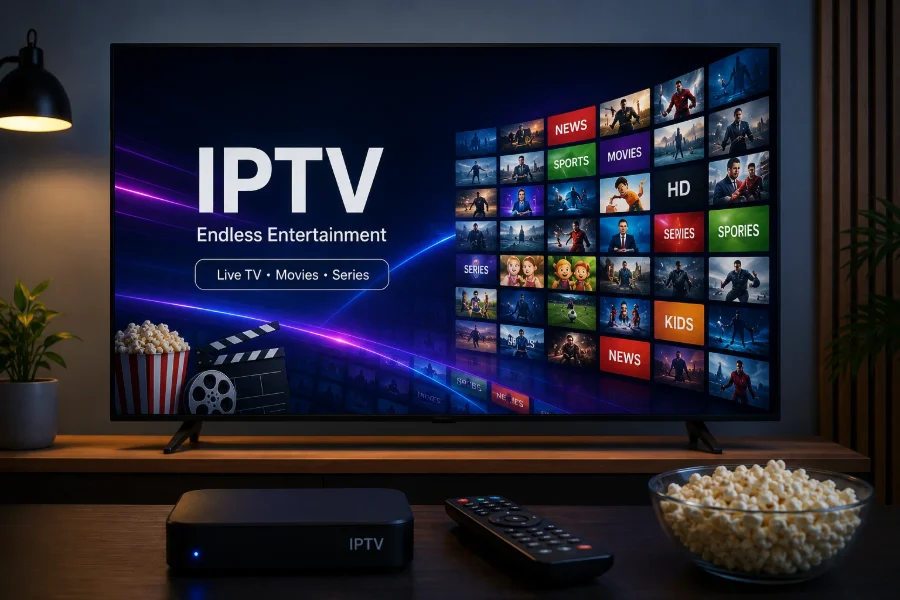
Test on the device you will actually use
This is the mistake that wastes most trials. A service tested on a laptop beside the router tells you almost nothing about how it will run on a television at the other end of the house.
If the television is where you will watch, test there. If you must start on a computer because it is quicker to set up — and there are good reasons to, covered in our guide to IPTV on Windows and Mac — treat that as a first step rather than the test itself.
Watch at the times you will actually watch
Streaming is a shared-capacity business. A service that is flawless on a weekday afternoon and struggles at nine in the evening is telling you something important, and only the evening test reveals it.
If you can, sample twice: once when the network is quiet, once at peak. A difference between them points at capacity somewhere in the chain rather than at your setup.
Test the channels you care about, not the total
Nobody watches a whole line-up. Pick the handful you would actually miss and check those specifically.
- Do they exist, and are they where you would expect in the groups?
- Is there an HD version, and is it separate from an SD one?
- Do they start quickly and stay stable across a whole programme, not just the first minute?
Ten minutes on five channels that matter beats an hour skimming hundreds.
Check the guide
The programme guide is the part people forget in a trial and miss most afterwards. Give it a few minutes to populate on first run — an empty guide immediately after setup is normal, as our guide to the EPG explains — then look at:
- whether listings appear on the channels you care about;
- whether the times are right for your timezone;
- how many days ahead it goes.
Guide data is compiled per channel, so uneven coverage is normal. Wholesale absence is not.
Test the on-demand library separately
Live channels and the on-demand library are delivered differently, so testing one tells you little about the other — the reasoning is in live TV and on-demand.
Give the library a few minutes of its own:
- Does it load, and is it organised enough to find something?
- Pick one film and start it. Does it begin promptly and seek properly when you jump forward?
- Are subtitles and audio tracks present where you would expect them?
A library that browses well but stalls on playback is a different problem from one that will not load at all, and both are worth knowing before you pay rather than after.
Watch one thing all the way through
Channel-hopping hides the fault that matters most. Sit with one programme for at least twenty minutes.
You are looking for whether it holds. A stream that starts perfectly and stutters twelve minutes in is a different problem from one that never starts, and only sustained watching finds it. If it does stutter, our buffering guide helps you work out whether the cause is the service or your own network — worth knowing before you blame the wrong thing.
Test support while you are still a stranger
Ask a real question during the trial, ideally a specific one about your device. How a service treats someone who has not paid yet is a fair preview of how it treats customers.
You are checking whether anyone answers, how long it takes, and whether the answer is specific to what you asked.
What a trial cannot tell you
Worth being honest about the limits, because people over-read a good trial.
It cannot tell you about next month. Line-ups change as broadcasters come and go. A channel present today is not guaranteed forever by anyone, and a service promising otherwise is over-claiming. Ours are set out on the about page, under the claims we do not make.
It is a small sample of conditions. One evening is one evening. A service can have a bad night or a good one. Read the refund terms before paying as well, so you know where you stand if the trial turns out to have been the good night.
It cannot prove a fault is theirs. If something stutters, the cause may be your network. Establishing which is why the buffering guide is worth a look before drawing conclusions.
What a trial does establish reliably is whether the service works on your equipment, whether the channels you care about are there and stable, and whether anyone answers when you ask something. That is enough to decide on.
A trial checklist
- Set it up on the device you will really use.
- Watch once at a quiet time and once at peak.
- Check your five must-have channels, including HD versions.
- Let the guide load, then check listings, times and how far ahead it runs.
- Watch one programme for twenty minutes without switching.
- Ask support a specific question and judge the reply.
- If it stutters, work out whether the cause is your network before deciding.
Get through that and you will know more than most people learn in a month. If you want to try ours, the plans page explains what is included.
Frequently asked questions
How long do I need to properly test an IPTV service?
Less time than you would think, if you test the right things. Twenty minutes on one programme at a busy time, plus a check of your must-have channels and the guide, tells you most of what matters.
Should I test on my TV or my phone?
On whatever you will actually watch on. A phone next to the router is the easiest place to get a good result and the least representative of a television across the house.
What if the picture stutters during a trial?
Find out whose problem it is before deciding. Try a wired connection or a device closer to the router, and check whether it happens on every channel or one. The buffering guide walks through isolating it.
Is an empty programme guide a bad sign during a trial?
Not immediately. Guide data downloads on first run and can take a few minutes. If it is still empty after that, or listings are attached to the wrong channels, that is worth asking about.
Should I test on-demand as well as live channels?
Yes, separately. They are delivered differently, so live working smoothly does not tell you the library will. Start one film, check it begins promptly and seeks properly, and look for subtitle and audio options.